
Presence
Roadlytics Standard Tracker, or a crew member's own phone
Approximate position
- Workers present, yes or no, for every work zone
- Switches the roadside message sign
- Feeds the traffic center yes or no, never names
- A live crew map and SOS
For road and construction crews
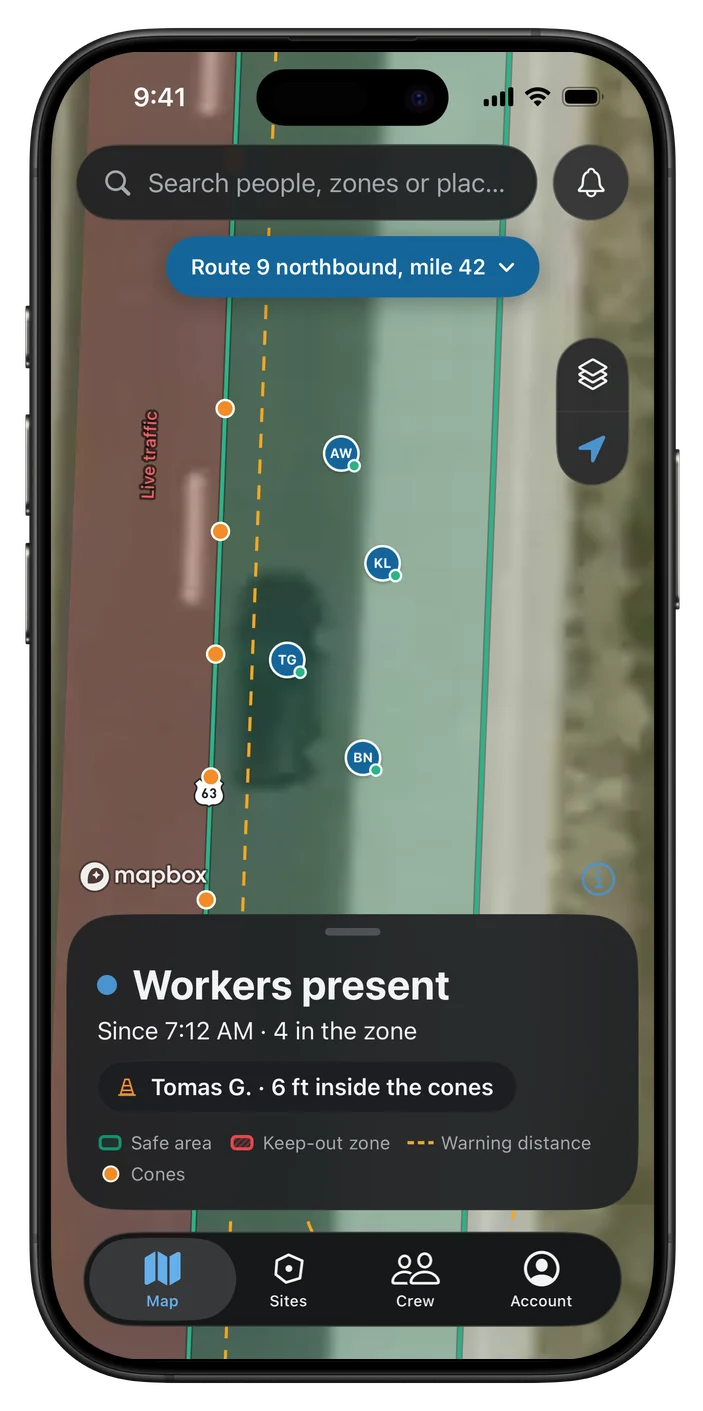
Crews carry a small tracker or their own phone, and Roadlytics shows who is in every work zone. Add a Guidance Tracker on the hard hat and each worker is warned before they step past the cones or into a keep-out zone.
61
workers on foot killed in vehicle-related strikes in U.S. road work zones
2024 · Bureau of Labor Statistics
850
people killed in U.S. work-zone traffic crashes
1,034
fatal work injuries in U.S. private construction
2024 · Bureau of Labor Statistics
155,100
estimated nonfatal injury and illness cases in U.S. private construction
2025 · Bureau of Labor Statistics
Two levels of safety
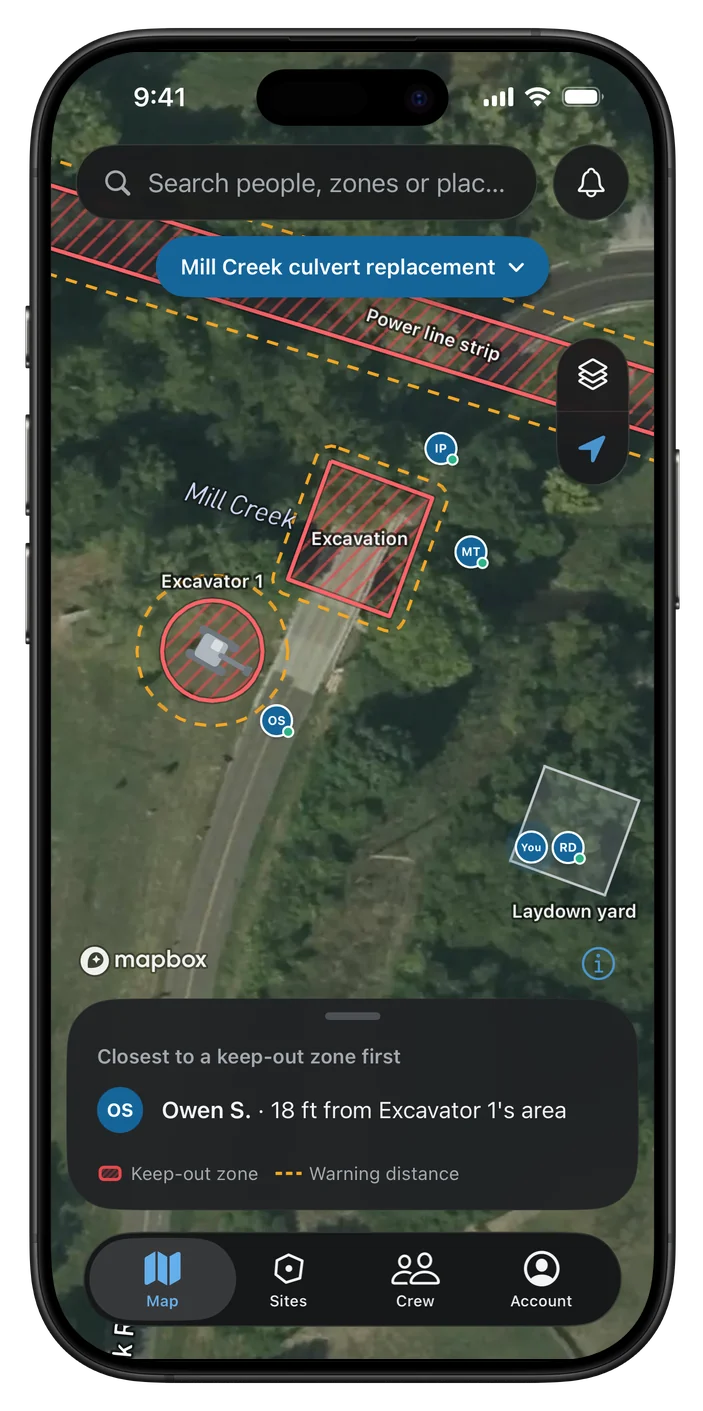
Presence tells you who is in each work zone. Exact position adds the virtual worksite: safe areas and keep-out zones, with a warning to the wearer at the line.
Workers present
SignWORKERS PRESENTREDUCE SPEED
Exact position
Cab lightClear
Roadlytics Standard Tracker, or a crew member's own phone
Approximate position
Roadlytics Guidance Tracker, on the worker's own hard hat
Exact position
What the wearer hears and feels, in three steps.
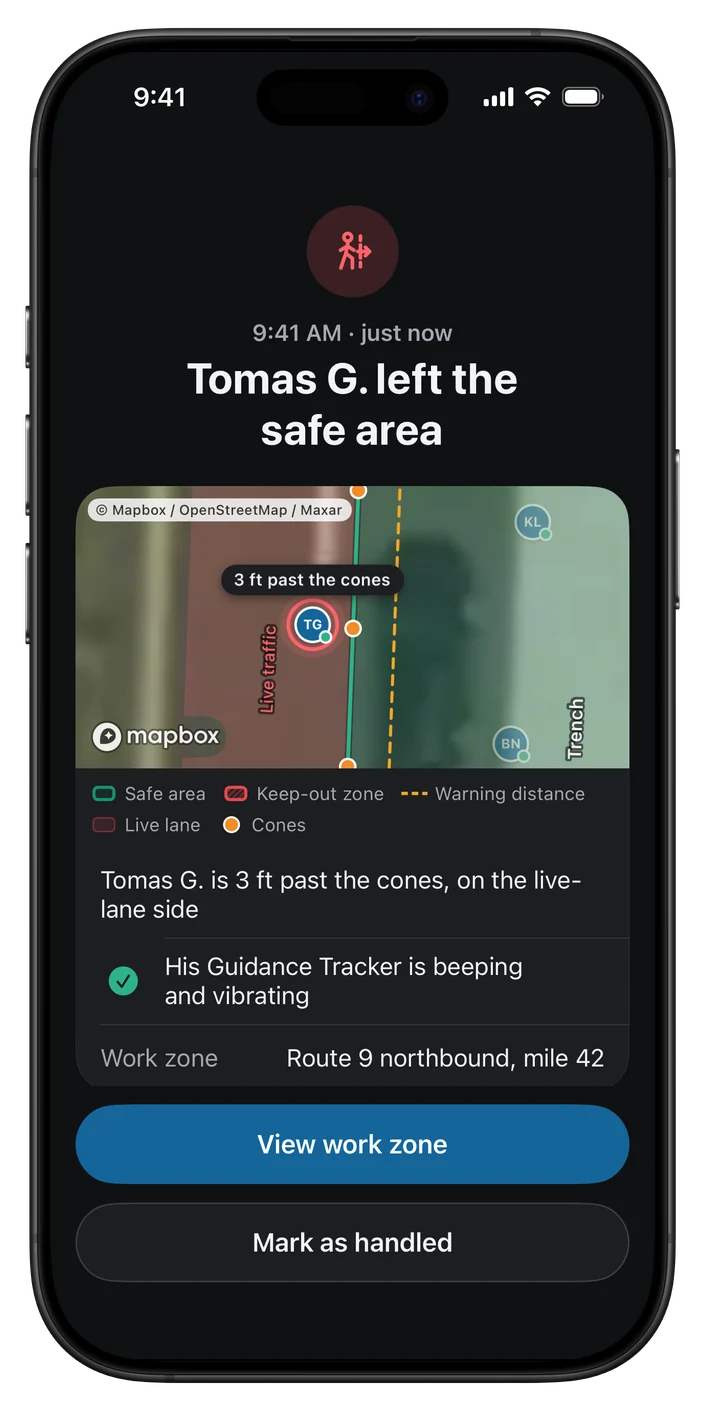
Past the line, the supervisor is alerted in the app, with the person and the zone. Line crossings and close calls are logged as events for the weekly safety page.
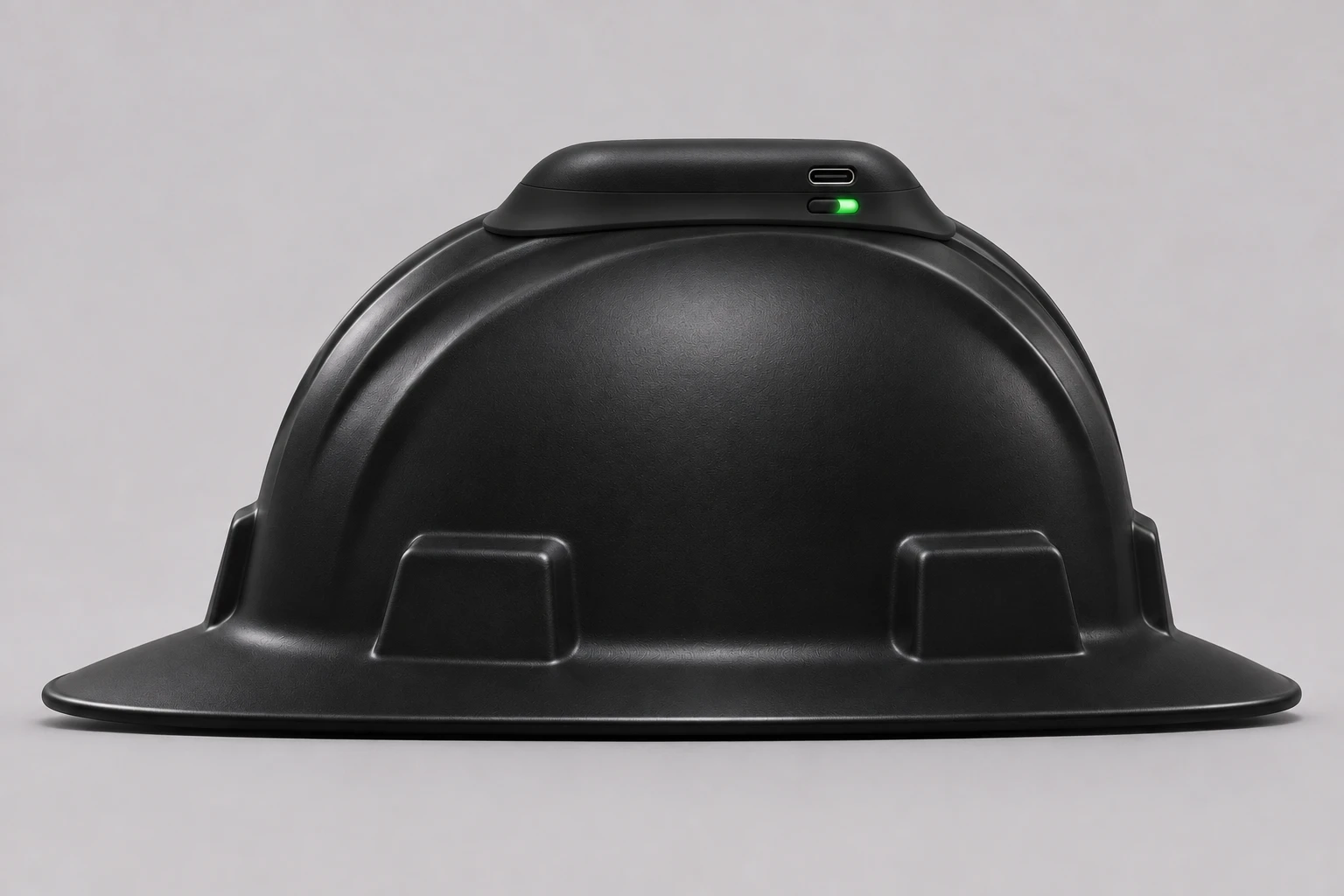
The Guidance Tracker gets its corrections over cellular, so there is nothing to place or configure on site.
Draw the zone on the map in the app, or walk the cone line wearing a Guidance Tracker.
It hooks onto the top of each worker's own hard hat, where it has a clear view of the sky.
The tracker warns its wearer at the line. The supervisor sees Workers present, the crew and any alert in the app.
Fit a machine unit and the machine carries its own keep-out zone. Anyone wearing a Guidance Tracker is warned as they get close to its edge.
The operator gets the answer without reading a screen.
Message signs and the traffic center
The roadside message sign follows Workers present. The traffic center gets the same yes or no, and nothing about who is there.
Route 61 bridge, mile 7
Bring Roadlytics data into the software you use to manage work zones. Our team can help you set up the connection.
For supervisors and the office
Supervisors use the Roadlytics iPhone app: who is in each work zone, where the crew is, and every alert as it comes in. Safety managers and the office see the same work zones on the web.
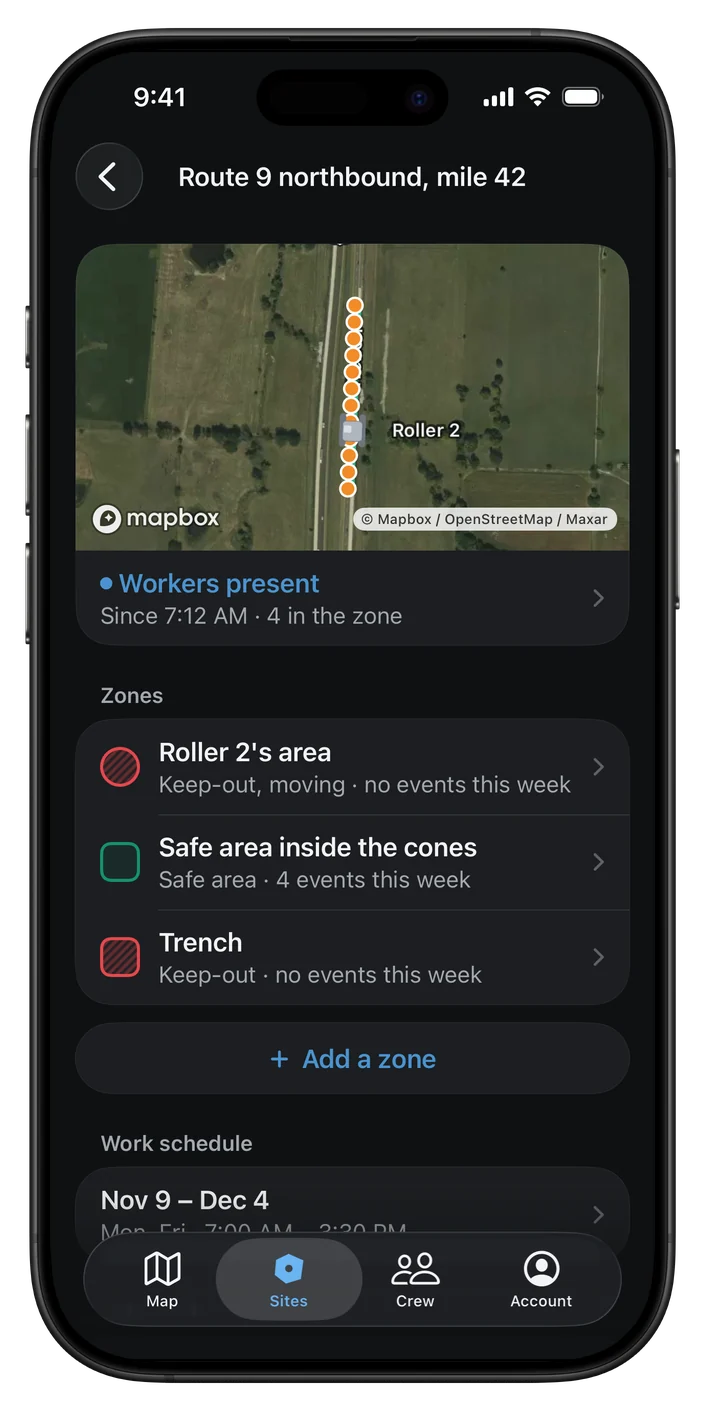
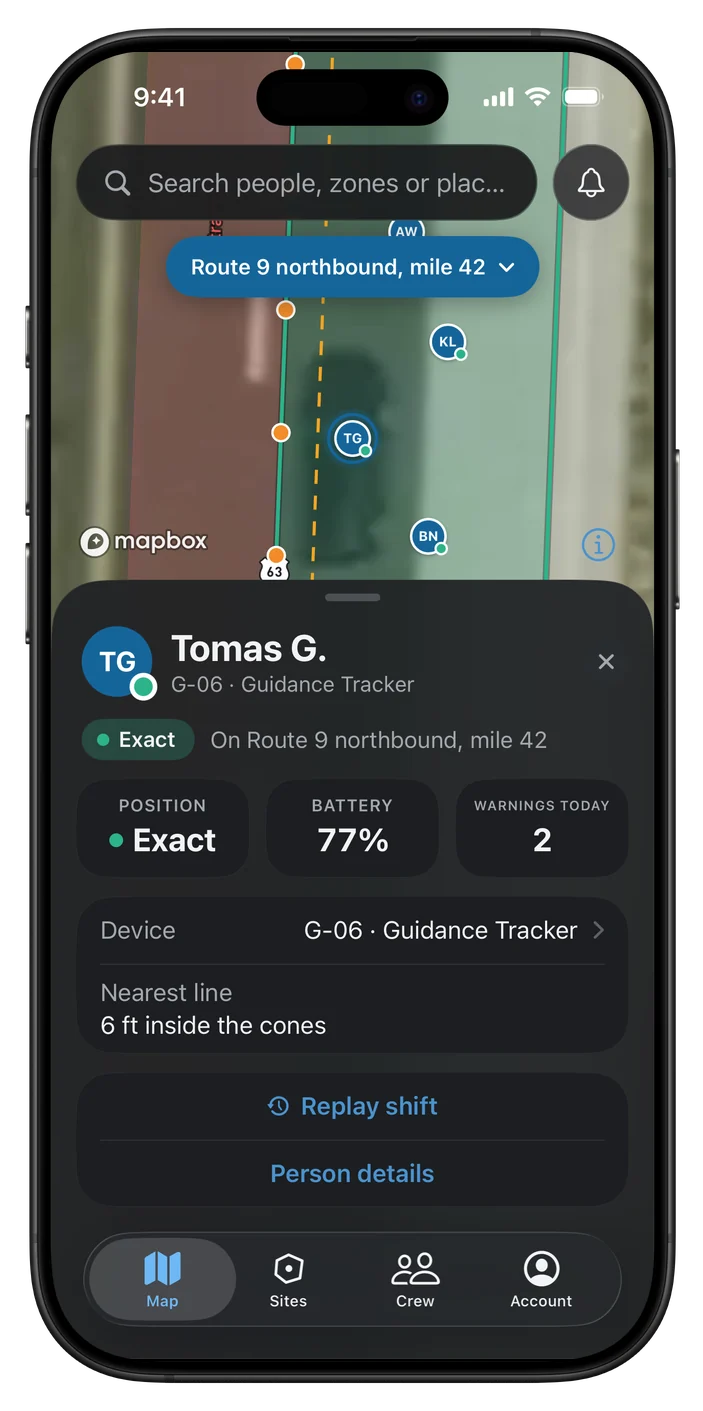
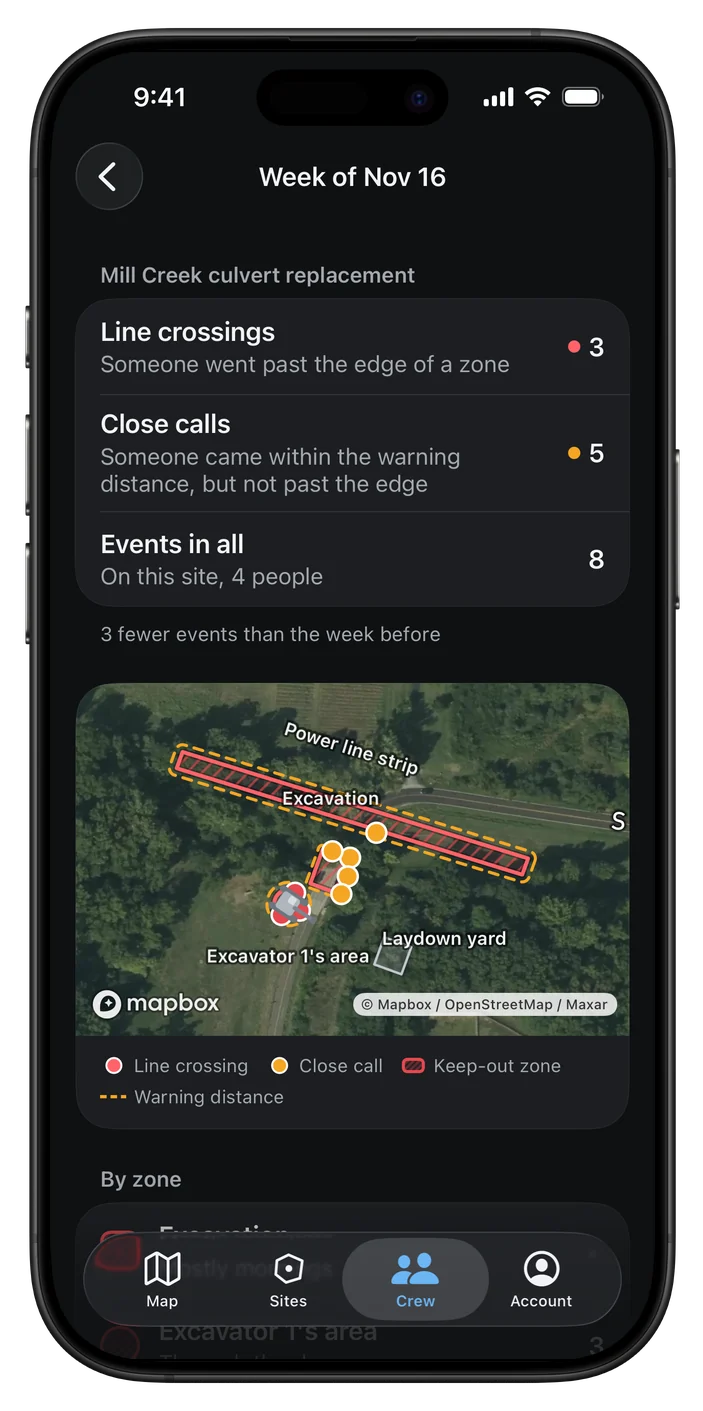
On the web, safety managers and the office see each work zone with Workers present, since when, how many are in the zone and what the sign says.
This week · 3 sites
Review events and replay shifts for each site.
Lane closures are only one setup. Roadlytics also covers the others crews use on highways and construction sites.
Traffic on both sides. The safe area warns at both cone lines.
Work between two highways, with live traffic on either side of the safe area.
For striping and mobile operations, the work zone follows a tracker placed in the crew truck.
Work-zone warnings are off for flaggers. Keep-out, machine and SOS stay on.
The Guidance Tracker gives three low beeps, shows a steady amber light and pauses its warnings. The supervisor sees "position reduced" for that person.
SOS, past the line and machine-area events still identify the person at every level. The traffic center always gets yes or no only.
Each worker carries a Standard Tracker or wears a Guidance Tracker. Where it suits a crew, their own phone can report presence instead, at an approximate position.
Start with Standard Trackers for presence. Add Guidance Trackers where you need warnings at the line.
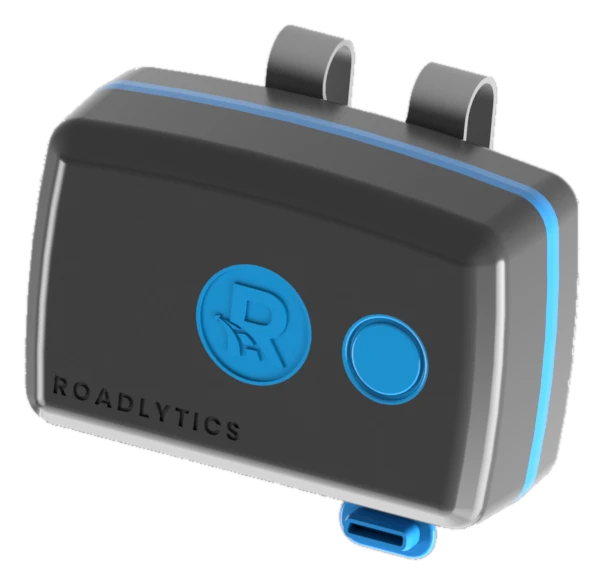
Presence
Rides in a pocket or clips on. It has its own cellular link, so it reports presence on its own.
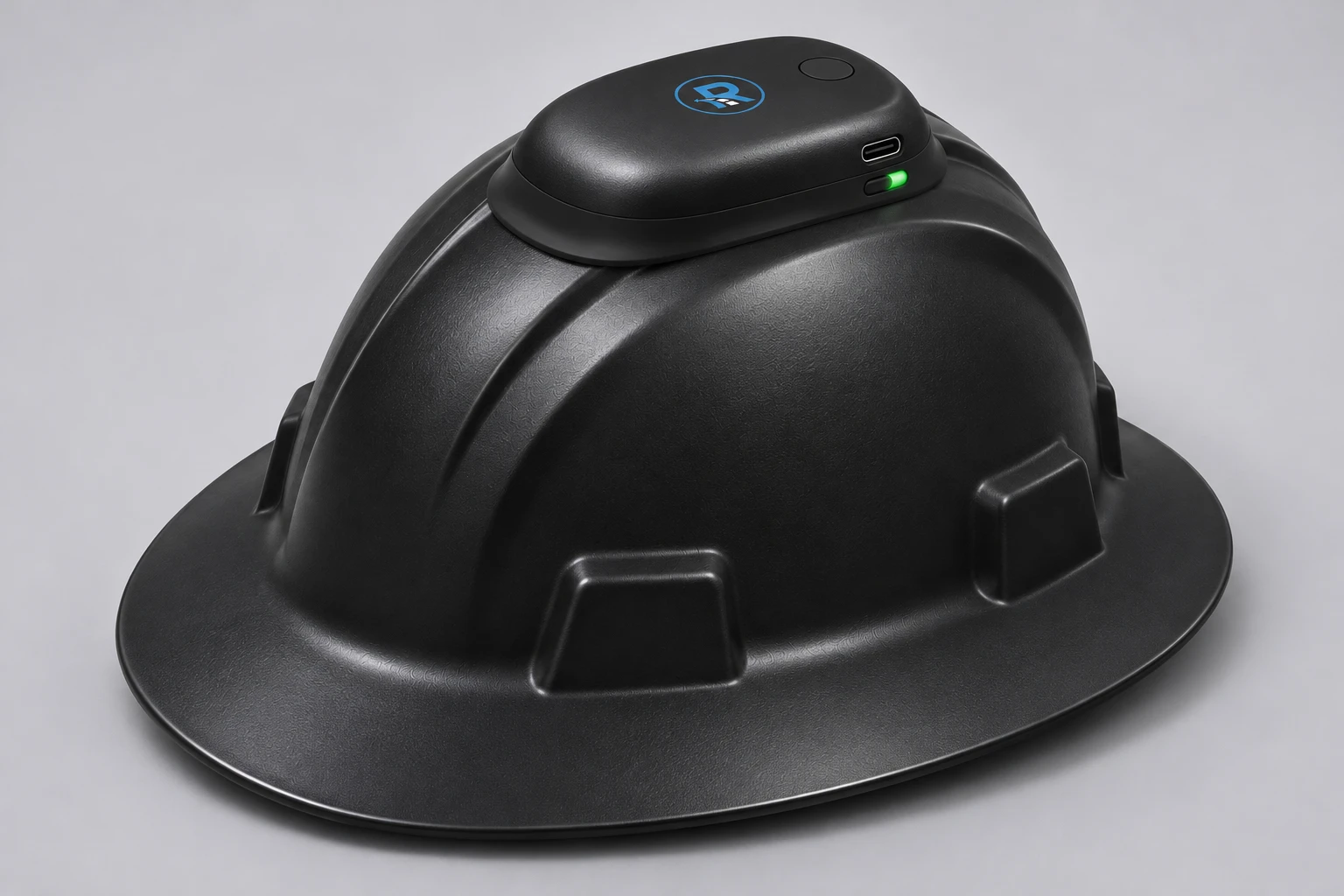
Exact position
Hooks onto the top of the worker's own hard hat, where it has a clear view of the sky. It uses RTK GNSS, with corrections over cellular.
| Feature | Standard Tracker | Guidance Tracker |
|---|---|---|
| Carried | In a pocket or clipped on | Hooked onto the worker's own hard hat |
| Tells you | Who is in the work zone | Exactly where they stand |
| On the map | Approximate | Exact |
| Warnings at the line | No | Yes, by light, beep and vibration |
| Keep-out warnings | No | Yes, including machine areas |
| SOS | Yes, hold 3 s | Yes, hold 3 s |
| Buttons | One | One |
A crew member's own phone can report presence instead of a Standard Tracker: approximate position, presence and SOS only.
Yes, for presence. A crew member's own phone can report presence and SOS instead of a Standard Tracker, at an approximate position, and only on site during work hours. Warnings at the line need a Guidance Tracker on the hard hat.
RTK is a way of correcting GPS so the Guidance Tracker knows exactly where the wearer stands. It gets its corrections over cellular, with nothing to configure.
The supervisor uses the Roadlytics iPhone app, with four tabs: Map, Sites, Crew and Account. Safety managers and the office use the web workspace.
Yes. For striping and mobile operations, a moving work zone follows a tracker placed in the crew truck.
Supervisors on your sites see the crew on the live map. Each site can be set to one of three privacy levels: Live with names and positions, Anonymous with positions and no names, and Presence with only Workers present and a count. SOS, past the line and machine-area events still identify the person at every level.
We'll walk you through presence, the virtual worksite and the office view, set up for the way your crews work.
Thanks. We'll be in touch to set up a demo.